Feed delivery
RSS to Slack, without the firehose
You already know which feeds matter. Paste their URLs into NewsCatch and their items show up in a Slack channel — optionally filtered by keyword and relevance so a busy feed does not bury the channel.
This is the direct job: specific feeds in, channel posts out. If you would rather describe a topic and have sources found for you, that is news alerts in Slack instead.
Feed URL to Slack post
Four minutes of setup for a feed you never have to check manually again.
- 1
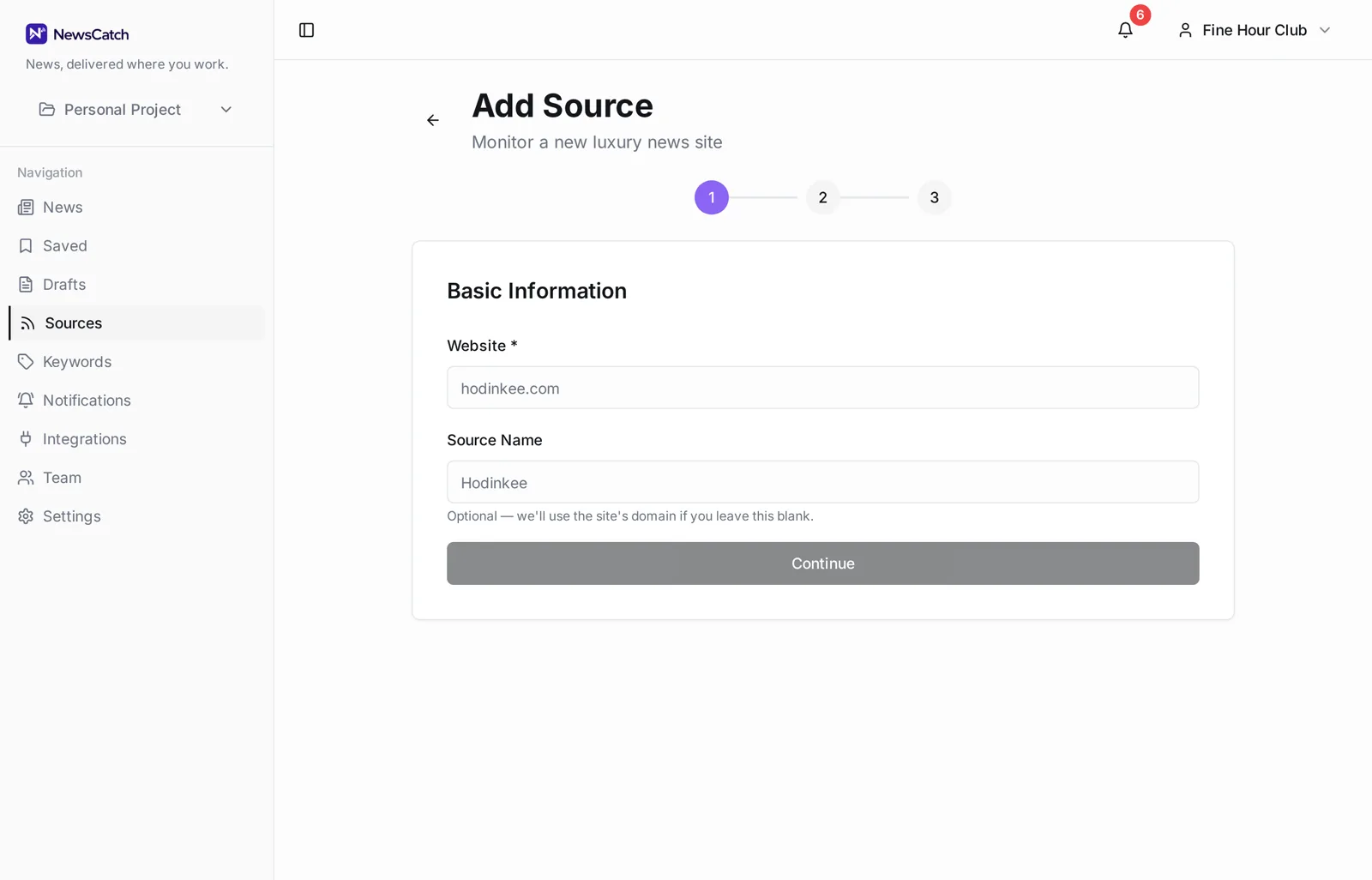
Add the feed URL
Paste an RSS or Atom URL. NewsCatch validates it, reads the feed title, and starts polling on a schedule.
- 2
Filter it, or don't
Leave a feed unfiltered to forward everything, or attach keywords and a minimum relevance score to forward only part of it.
- 3
Route it to a channel
Point the feed's rule at a Slack channel. High-volume feeds can go to a digest instead of real time.
Adding a feed
If a site publishes a feed, NewsCatch can usually find it from the site URL alone.
Paste the feed URL directly when you have it. When you only have the site address, NewsCatch looks for a declared feed on the page. Feeds that stop responding are flagged so a silent channel is never a mystery.
- RSS and Atom feed URLs
- Feed auto-detection from a site URL
- Health status per feed
- Duplicate items collapsed across feeds
- Unlimited feeds per destination channel
Filtering is what makes an RSS channel survive
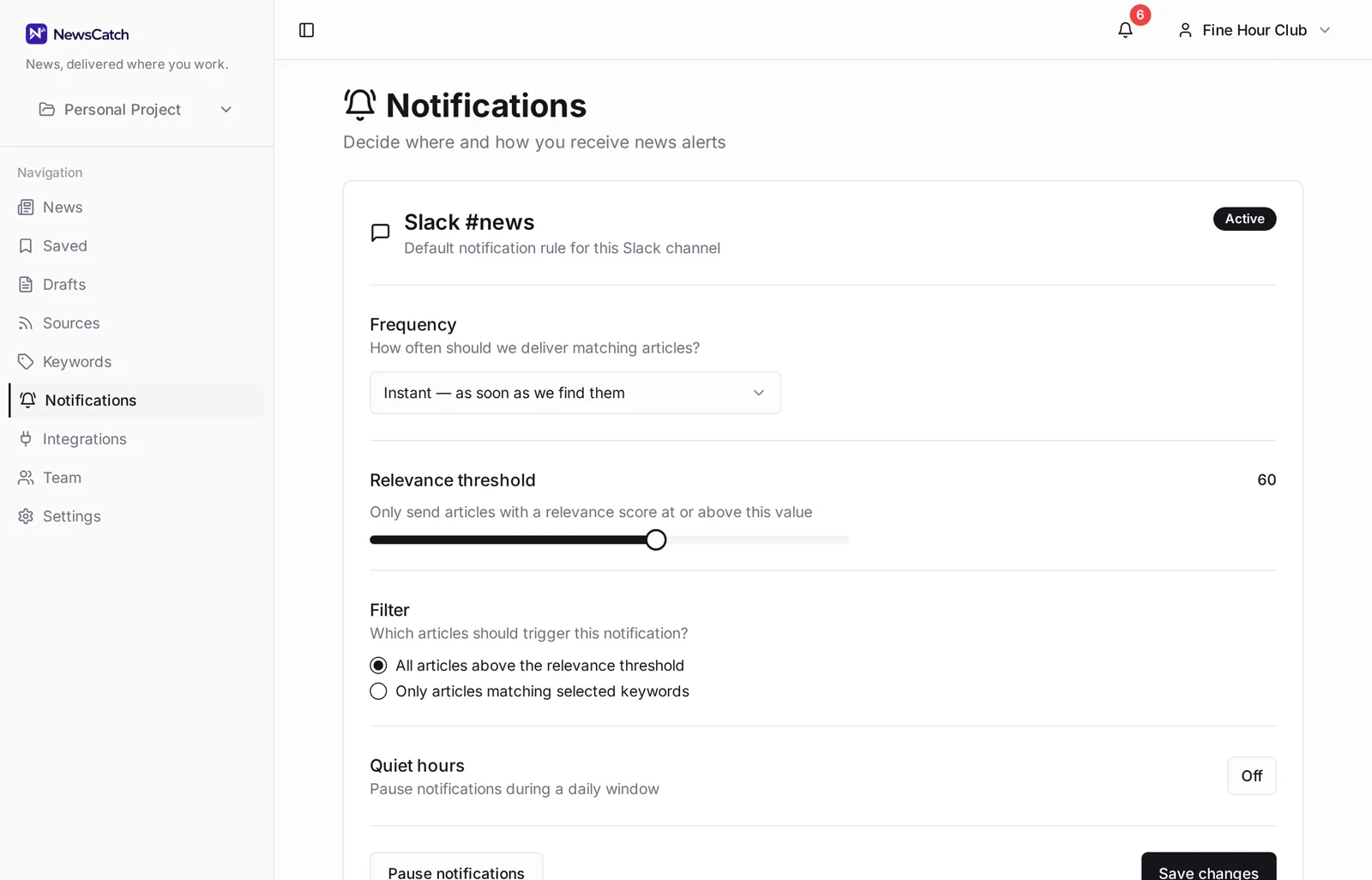
A single high-volume feed can post dozens of items a day. Forwarding all of it is how channels get muted.
Attach keywords to a feed and only matching items forward. Add a minimum relevance score and marginal matches are dropped too. Digest mode batches the rest into one post instead of many.
You can start unfiltered and tighten later — the rule is editable at any time and takes effect on the next poll.
Questions about RSS in Slack
How is this different from a plain RSS-to-Slack forwarder?
A forwarder posts everything a feed publishes. NewsCatch can do that, but it can also score and filter items and collapse duplicates across feeds, which is what keeps a busy channel usable.
How quickly do new items appear?
Feeds are polled on a schedule rather than pushed, so items typically appear within minutes of publication depending on the feed.
Can one feed post to two channels?
Yes. Create two rules over the same feed with different filters and destinations.
What happens if a feed breaks?
The feed is marked unhealthy in the app so you can see the channel went quiet because of the source, not because nothing was published.
Do you support paywalled or authenticated feeds?
Only publicly reachable feed URLs. Feeds requiring credentials are not supported.
Related
Ready to try it? See how the 14-day pilot works.